Data model
Evolve defines its own GraphQL data model that is independent of any backing SAAS service. This is a deliberate design choice: by owning the data model, Evolve can integrate any commerce engine, CMS, or search backend behind the same schema. Clients consume a single, consistent API regardless of which vendors are running underneath.
Vendor independence
Each SAAS backend has its own data model (commercetools has ProductProjection,
Contentful has Entry, Algolia has its own hit format). Evolve does
not expose these directly. Instead, each domain service
maps vendor-specific data into Evolve's own GraphQL types. This means:
- Swapping vendors does not change the API. Replacing your CMS or search engine requires a new service implementation, not frontend changes.
- Combining vendors is straightforward. A single query can return product data from the commerce engine and content from the CMS, merged by GraphQL Federation.
- Custom data models are yours to define. You design the schema that fits your business, not the one your vendor prescribes.
Schema.org alignment
Evolve's data model follows schema.org conventions where applicable. Schema.org provides a shared vocabulary for structured data on the web, and aligning with it gives practical benefits:
- Familiar naming for developers (e.g.,
Product,Offer,Brand) - Easier mapping to structured data for SEO (JSON-LD)
- A well-documented reference for what fields mean
This is not a strict implementation of schema.org; the data model is shaped for e-commerce use cases and GraphQL conventions. But where schema.org provides a sensible name or structure, Evolve follows it.
Key types
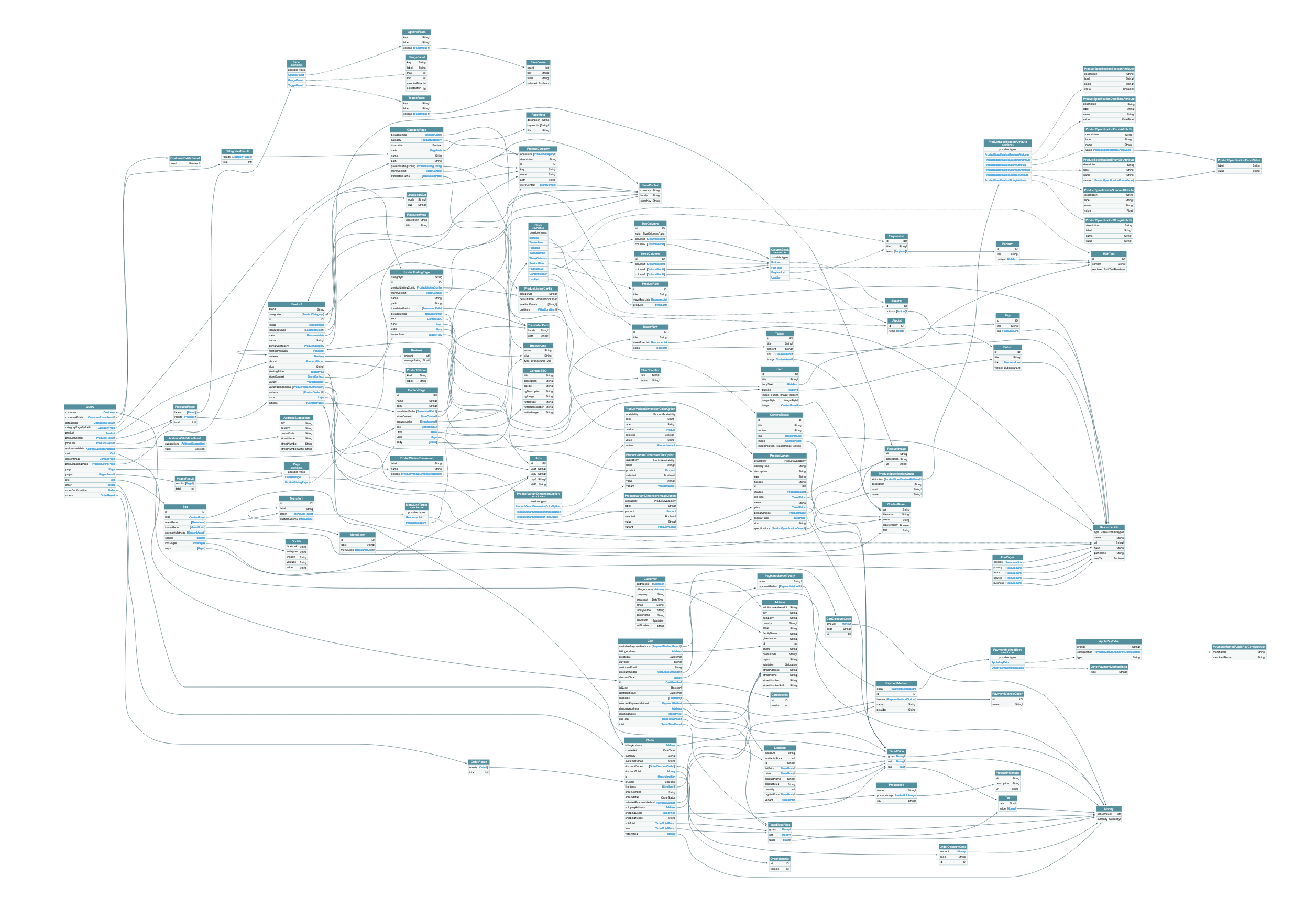
The data model spans all domain services. Here are the central types across the main domains:
Products and catalog
type Product {
  name: String!
  slug: String!
  brand: String
  meta: PageMeta
  breadcrumbs: [Breadcrumb!]
  variant(sku: String): ProductVariant
  variants: [ProductVariant!]!
}

type ProductVariant {
  sku: String!
  name: String
  description: String
  price: ProductPrice
  availability: ProductAvailability
  images: [ProductImage!]
  attributes: [ProductAttribute!]
}

type ProductCategory {
  name: String!
  slug: String!
  children: [ProductCategory!]
  parent: ProductCategory
}
Cart and checkout
type Cart {
  lineItems: [CartLineItem!]!
  totalPrice: Money!
  shippingAddress: Address
  billingAddress: Address
  availableShippingMethods: [ShippingMethod!]
  availablePaymentMethods: [PaymentMethod!]
  discountCodes: [DiscountCode!]
}
Customer and account
type Customer {
  email: EmailAddress!
  givenName: String
  familyName: String
  addresses: AddressConnection!
  businessUnits: [BusinessUnit!]
}
Orders
type Order {
  orderNumber: String!
  status: OrderStatus!
  lineItems: [OrderLineItem!]!
  totalPrice: Money!
  createdAt: DateTime!
}
These are simplified examples. The full schema includes many more fields, input types, and connections. You can browse the complete schema interactively using the schema viewer.
Shared types
Several types are shared across services using the @shareable
federation directive. This means multiple services can resolve the
same type independently:
Money: represents a monetary value withcentAmountandcurrencyCodeAddress: postal address used by checkout, account, and order servicesPageMeta: SEO metadata (title, description, open graph) used by CMS and catalog servicesBreadcrumb: navigation breadcrumbs resolved by both CMS and catalog
See page model for details on how page-related types work across services.
Extending the data model
Evolve's data model is a foundation, not a ceiling. Because the architecture uses GraphQL Federation, you can extend it in several ways:
- Add fields to existing types: create a new subgraph that extends
an Evolve type with additional fields (e.g., adding a
loyaltyPointsfield toCustomer) - Add new types: introduce entirely new types and queries in a
custom subgraph (e.g., a
WishListorStoreLocatortype) - Override resolvers: replace how an existing field is resolved without changing the schema
# Example: extending Customer with loyalty points
# in a custom subgraph

type Customer @extends @key(fields: "id") {
  id: ID! @external
  loyaltyPoints: Int!
  loyaltyTier: LoyaltyTier!
}
The gateway automatically merges your extensions into the supergraph. See customization and extensibility for detailed patterns and code examples.